Every Tool You Need to Edit Like a Pro
Pixl packs powerful photo editing into a clean, intuitive interface. No learning curve — just results.
Download FreeAI Edit
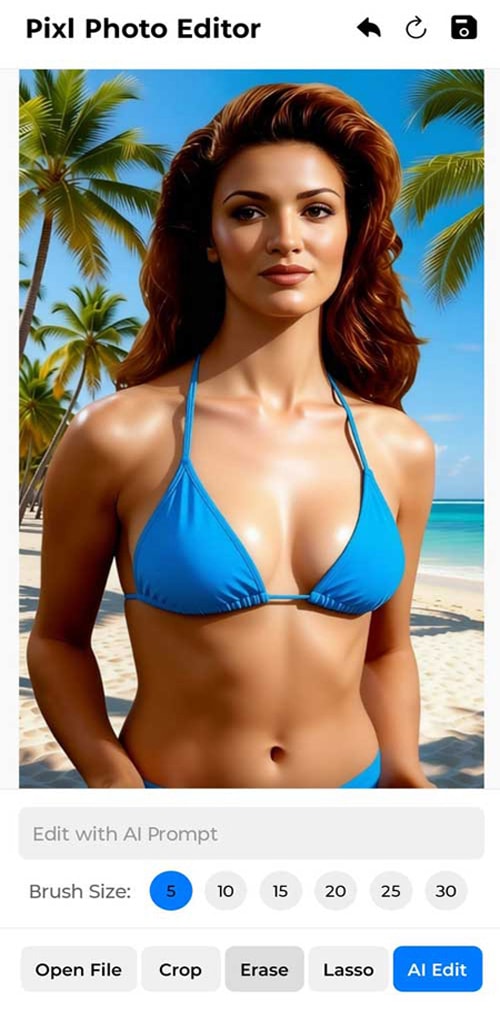
Most PopularType a command and watch Pixl transform your photo. Remove backgrounds, swap skies, change colors, add objects — all with plain English prompts.
- Remove background instantly
- Add custom backgrounds
- Change object & clothing colors
- Natural language commands

Erase & Clean Up
Brush over or circle anything you want gone — people, objects, blemishes — and Pixl fills in the background seamlessly using AI-powered inpainting.
- Brush erase tool with 6 brush sizes
- Lasso selection erase
- Image Text removal with lasso selection
- Photobomber removal

Crop & Resize
Crop to any size by dragging the corners of the image and repositioning the image in the crop frame. The image can be rotated within the crop frame.
- 1:1 Instagram
- 16:9 YouTube
- 3:4 Portrait
- Custom dimensions

Rotate Photo
Fix orientation in one tap. Rotate 90° right with each tap.
- 90° rotation with each tap
- Left & Right rotation available also in the crop tool

Lasso Selection
Draw around any area of your photo to select it precisely. Then erase & rebuild just that region — leaving the rest untouched.
- Freehand selection
- Precision editing
- Selective erase
- Region-based AI edits

Ready to transform your photos?
Download Pixl free — no account, no tutorials, no limits.
Available on Android 10+
Download Free